Universal Design Systems · Scope Expansion
My Role
Sole Designer · Self-expanded scope
Scope
UX Design · Systems Thinking · PM Workshop Facilitation
Brief Vs. Reality
1 module · 1 schedule type → 8+ modules · 3 schedule types
Outcome
Universal flow · 0 future design engagements
Client
Ticketmaster
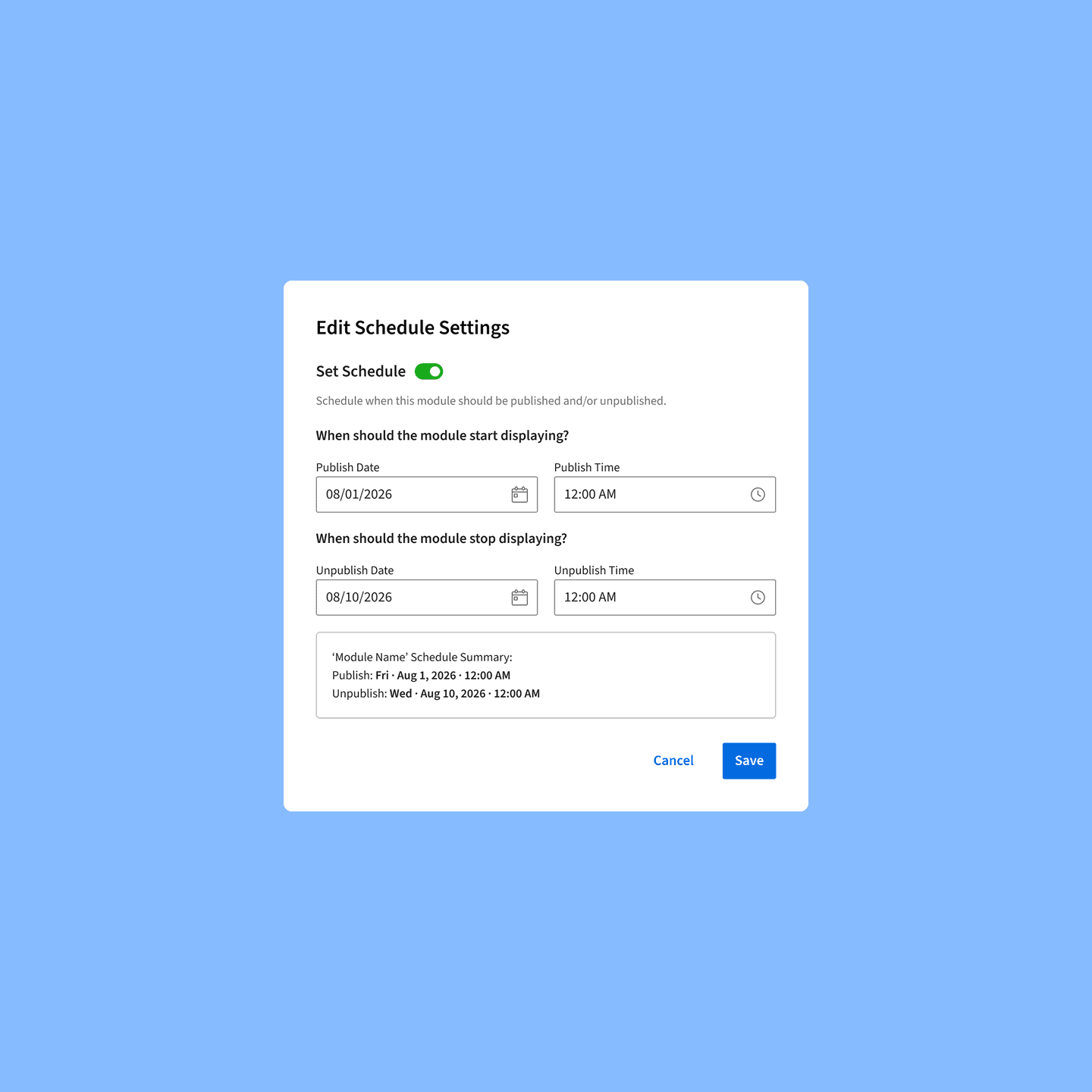
Universal Schedule Settings UI - identical interaction pattern across all CMS modules
The Problem
The brief was narrow. The real problem was much bigger.
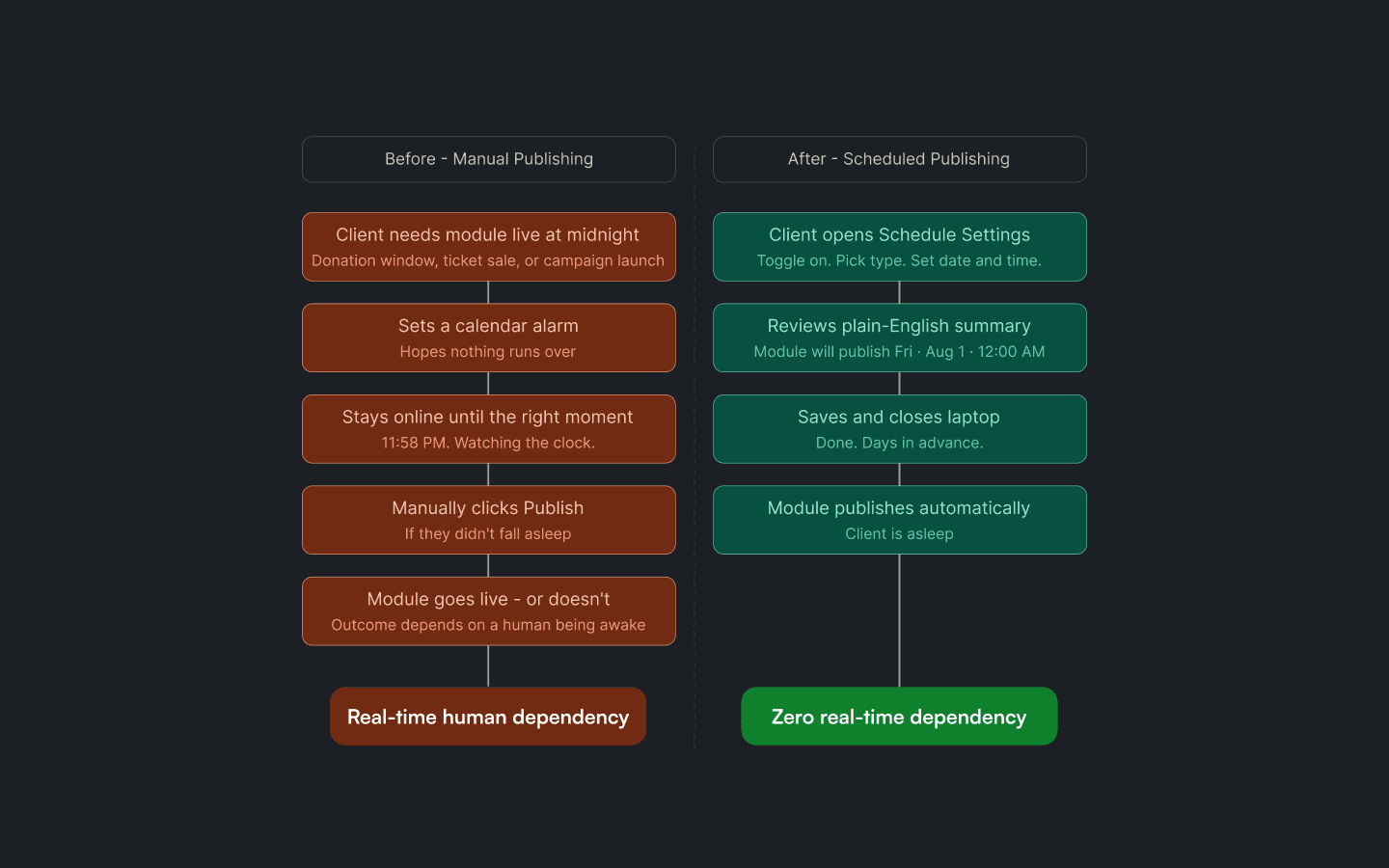
Before - Manual Publishing VS. After - Scheduled Publishing
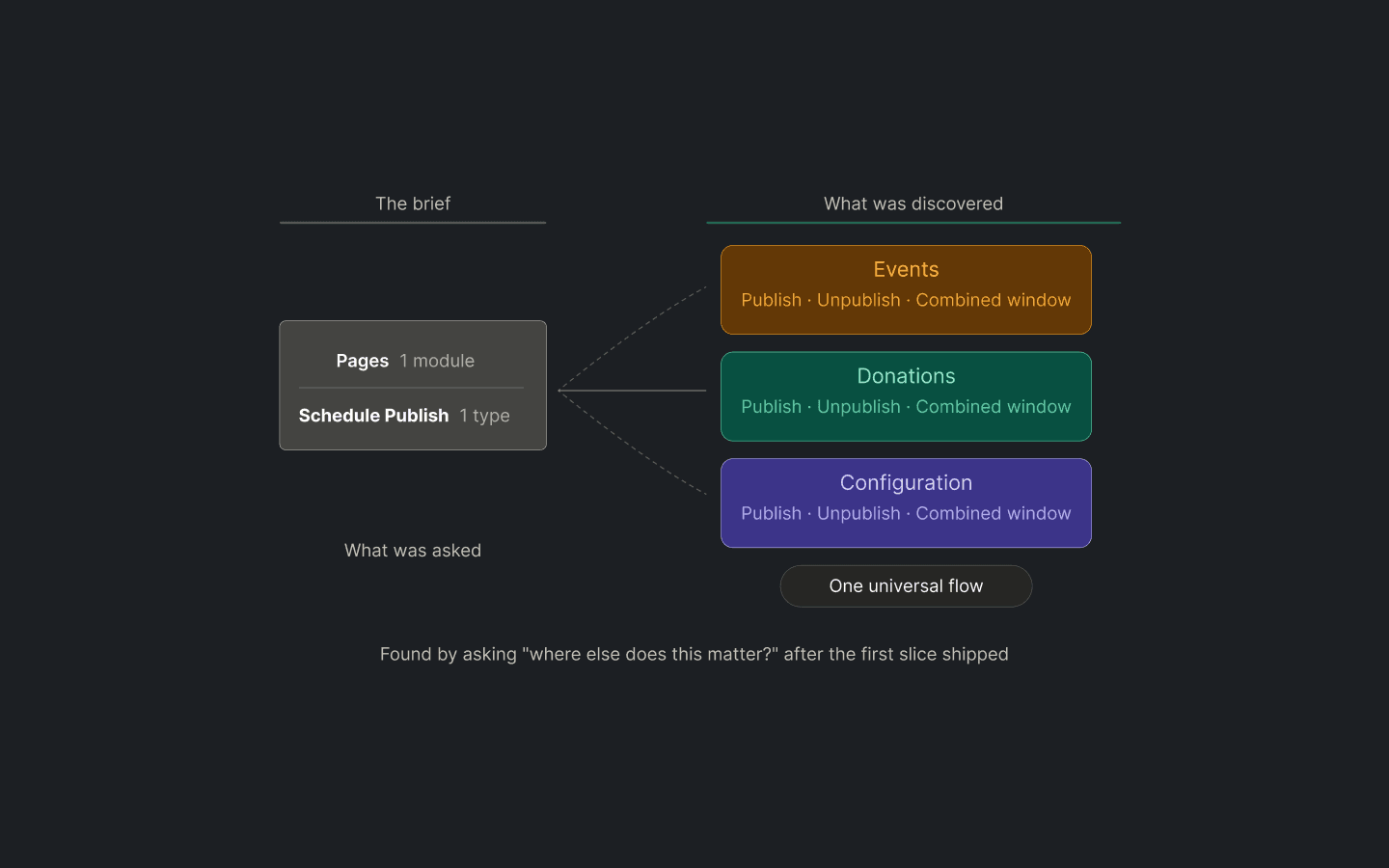
What was asked Vs. What Was Discovered
Use Case 01 - Nonprofits
A fund that needs to close at exactly midnight.
Donation windows tied to fundraising campaigns. A fund that goes live a minute late loses pledges. A fund that closes a minute early loses a donor. Scheduling isn't a convenience - it's the integrity of the campaign.
Publish + Unpublish Window
Use Case 02 - Events Teams
A page live the moment ticket sales open.
Event pages need to go live exactly when ticket sales open - not before (spoilers), not after (missed revenue). Coordinating a manual publish across time zones at odd hours was the existing workaround.
Scheduled publish only
Use Case 03 - Admins
Config that's live now, gone automatically at campaign close.
Campaign modules are built and published ahead of time, but they need to disappear at a precise moment. When a sale ends, a fundraising window closes, or the next campaign kicks in. Manually unpublishing at the right moment means someone has to be awake watching the clock.
Scheduled Unpublish only
THE RESEARCH - WHAT THE PM WORKSHOP REVEALED
Three clients. Three completely different scheduling needs.
Key Finding
A nonprofit needs a fund to close at midnight. An events team needs a page live the moment ticket sales open. An admin needs config changes active before a campaign, without going public early. Same toggle. Same flow. Three completely different stakes. A per-module solution would have solved one of the three, and missed the other two entirely.
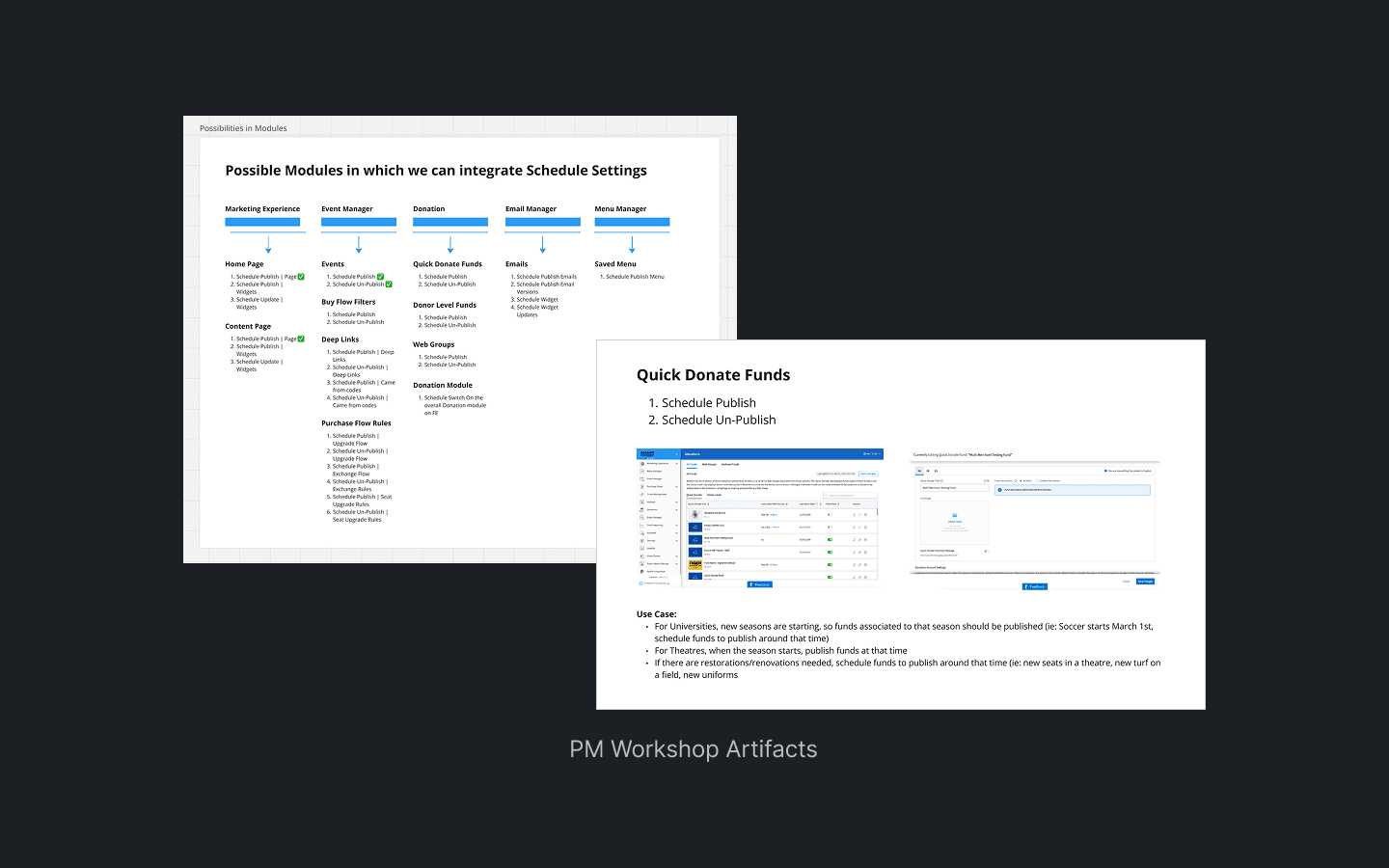
PM workshop artifacts - every CMS module audited against three scheduling types, client use cases surfaced
EARLY EXPLORATIONS
The easy answer vs. the right answer.
DIRECTION 01 - NOT CHOSEN
Per-module scheduling UI
Build a scheduling flow optimised for each module's content structure. Faster to ship the first module. But every new module would need a new design engagement. Clients switching between modules would encounter a different pattern each time. The more the platform grew, the more the inconsistency would compound.
DIRECTION 02 - SHIPPED
Universal scheduling language
One consistent flow: toggle → type → date/time → confirm summary. Identical across every module, regardless of content structure. Takes longer to establish upfront, but every subsequent module inherits it without a new design engagement. Clients recognise the pattern the second time, and every time after that.
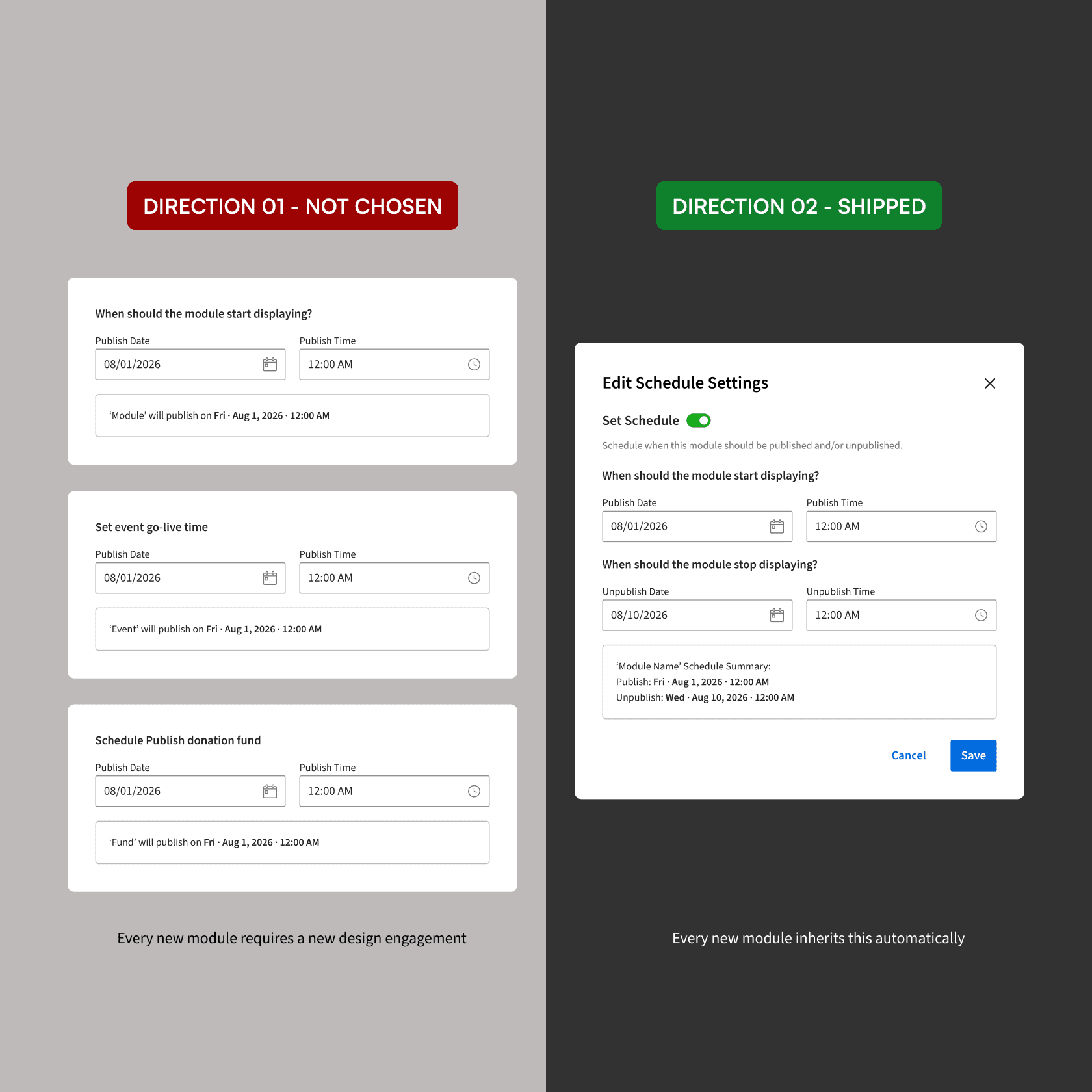
Two directions considered - per-module (faster to ship, compounds over time) vs. universal flow (more upfront, zero cost thereafter)
The UX Decision
One universal flow, not three bespoke ones.
Step 01
Step 02
Step 03
Step 04
Decision 01 - The toggle
Scheduling is opt-in, not default
Instant publish remains the primary path. The schedule toggle only surfaces the date/time picker after a client explicitly indicates intent to schedule. This keeps the default interaction fast and the scheduling path deliberate, clients who don't need scheduling don't encounter it at all.
Decision 02 - The confirmation summary
Show the schedule before it's saved
A plain-English summary, "This module will publish on Fri · Aug 1, 2026 · 12:00 AM and unpublish on Wed · Aug 10, 2026 · 12:00 AM", appears before the client saves. The cost of a misconfigured schedule (a fund that closes too early, a page that goes live too late) is too high to skip a confirmation step.
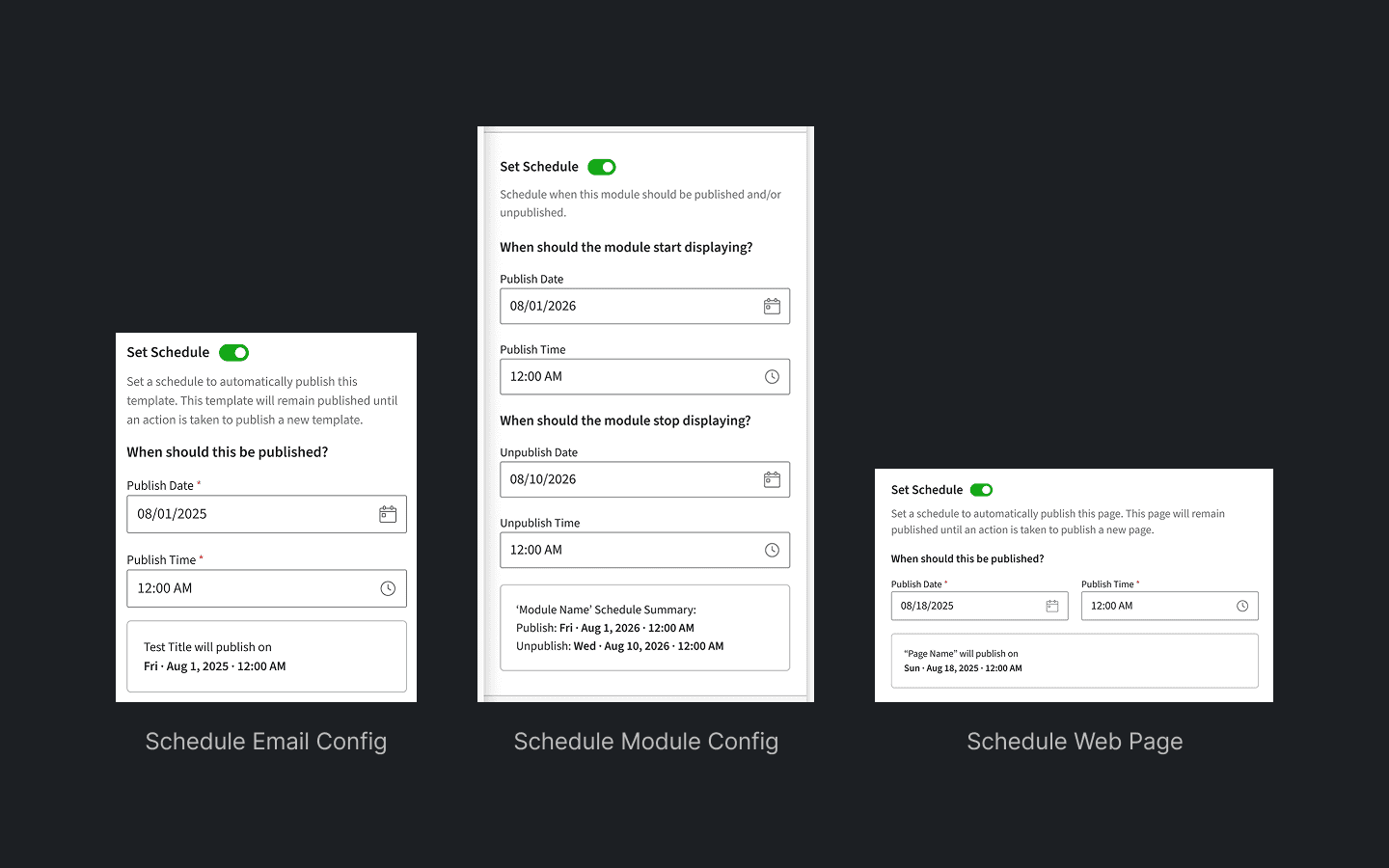
The universal flow applied across three different module types - identical interaction, contextually appropriate labels
The Process
I shipped first. Then I went looking.
PM workshop artifacts - every CMS module audited against three scheduling types, use cases surfaced by client context
Reflection - What I'd do differently
If I ran this again, the PM workshop happens before the first slice ships.
The instinct to look beyond the brief was right. The bigger problem was real.The timing was reactive. Discovering the broader scope after shipping meant the universal flow was retrofitted, not built-in from the start.The PM workshop should have been the starting point.
The Result
Clients can now go to sleep before go-live.
CMS modules with universal scheduling built in - all inheriting the same interaction pattern
Scheduling types designed - publish, unpublish, and combined publish + unpublish window
Future modules needing a new design engagement - every new module inherits scheduling automatically
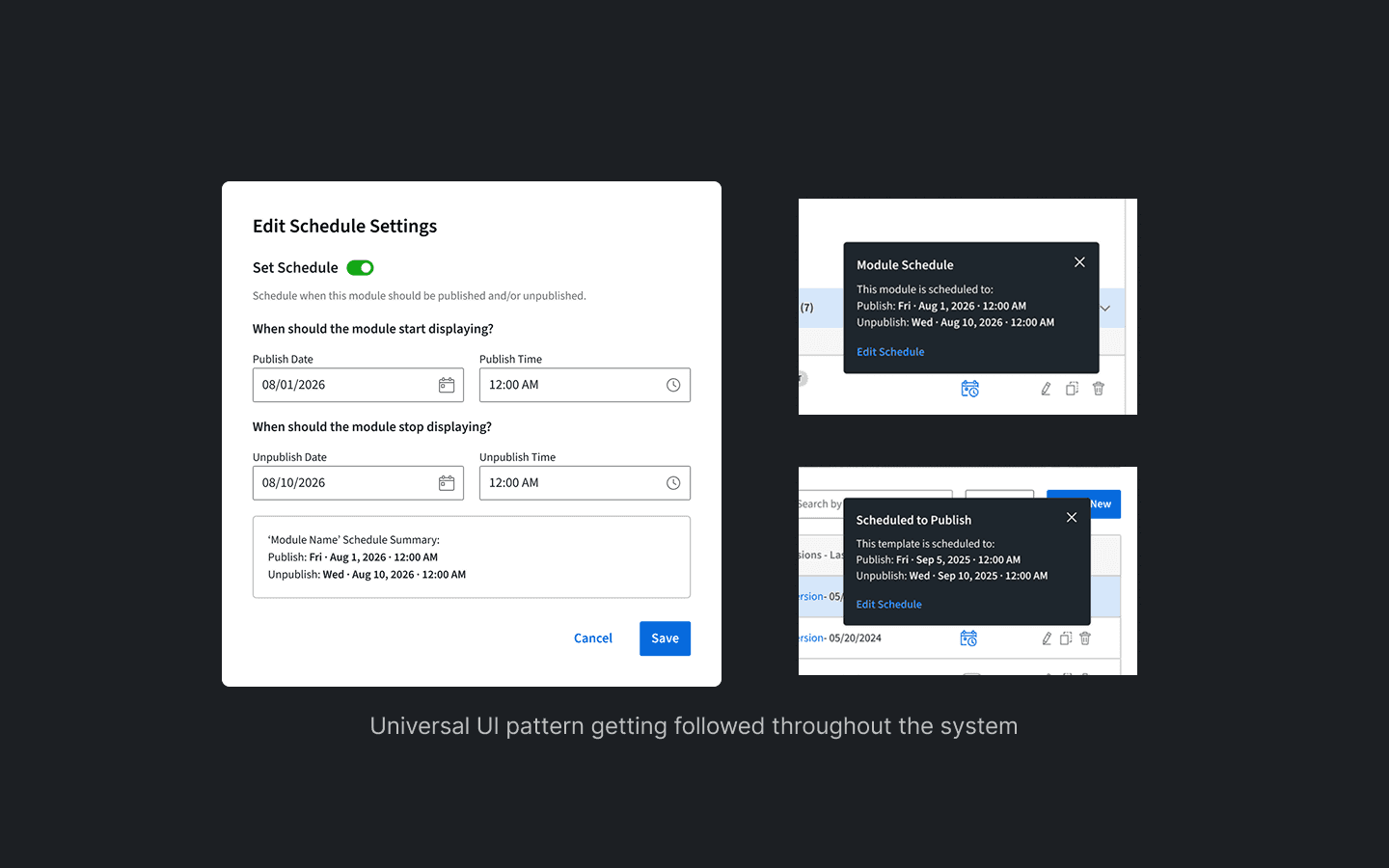
The universal pattern in production - the same flow recognised and used across every module it touches