Enterprise CMS
My Role
Sole Designer, End-to-end Ownership
Scope
Product Design · UX Strategy · Enterprise CMS
Platform
Live Entertainment · Enterprise B2B
Outcome
80+ clients · 250+ modules · 0 support tickets
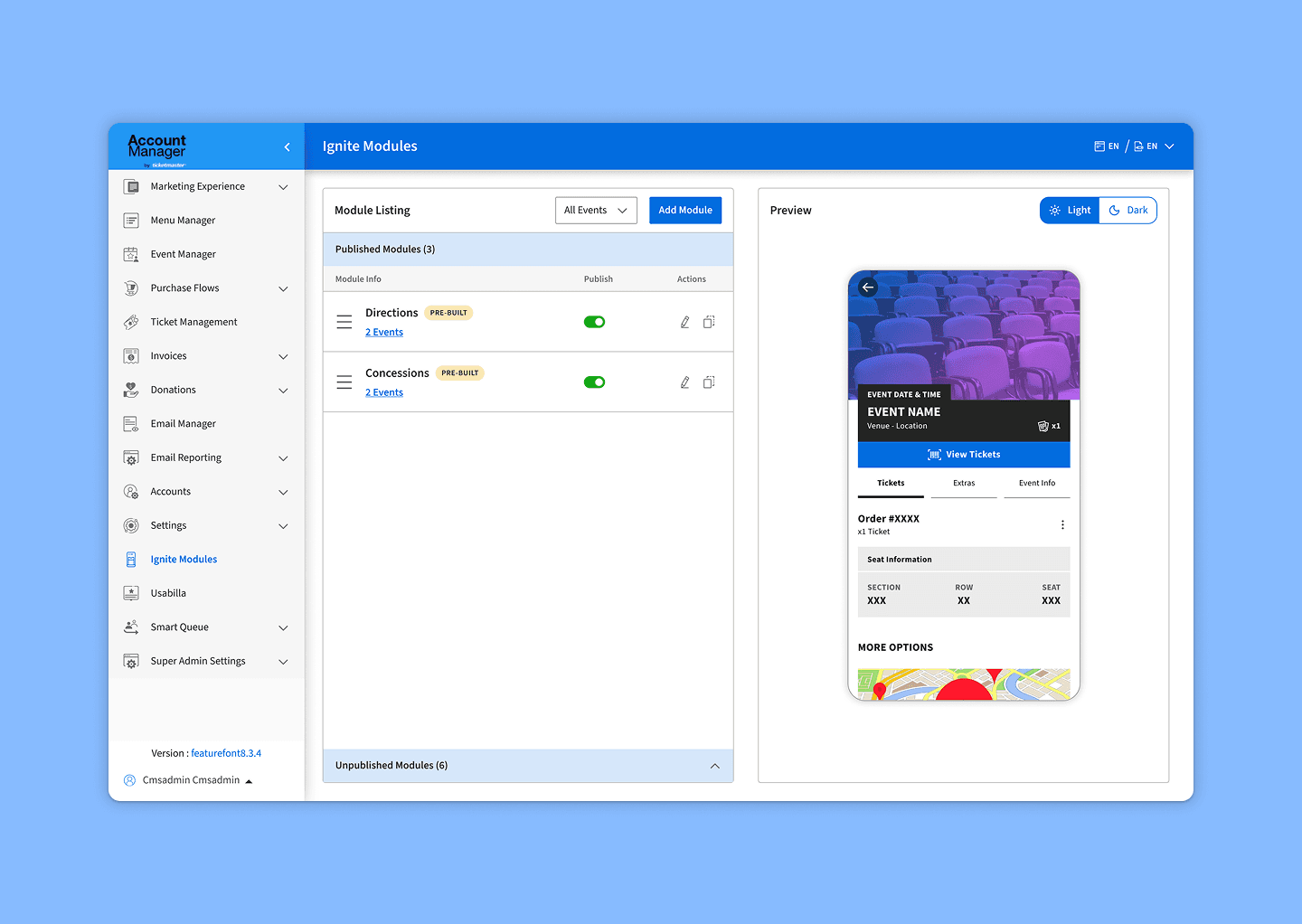
Ignite Modules - Listing Page & WYSIWYG Live Preview
The Problem
Clients couldn't touch their own content without engineering.
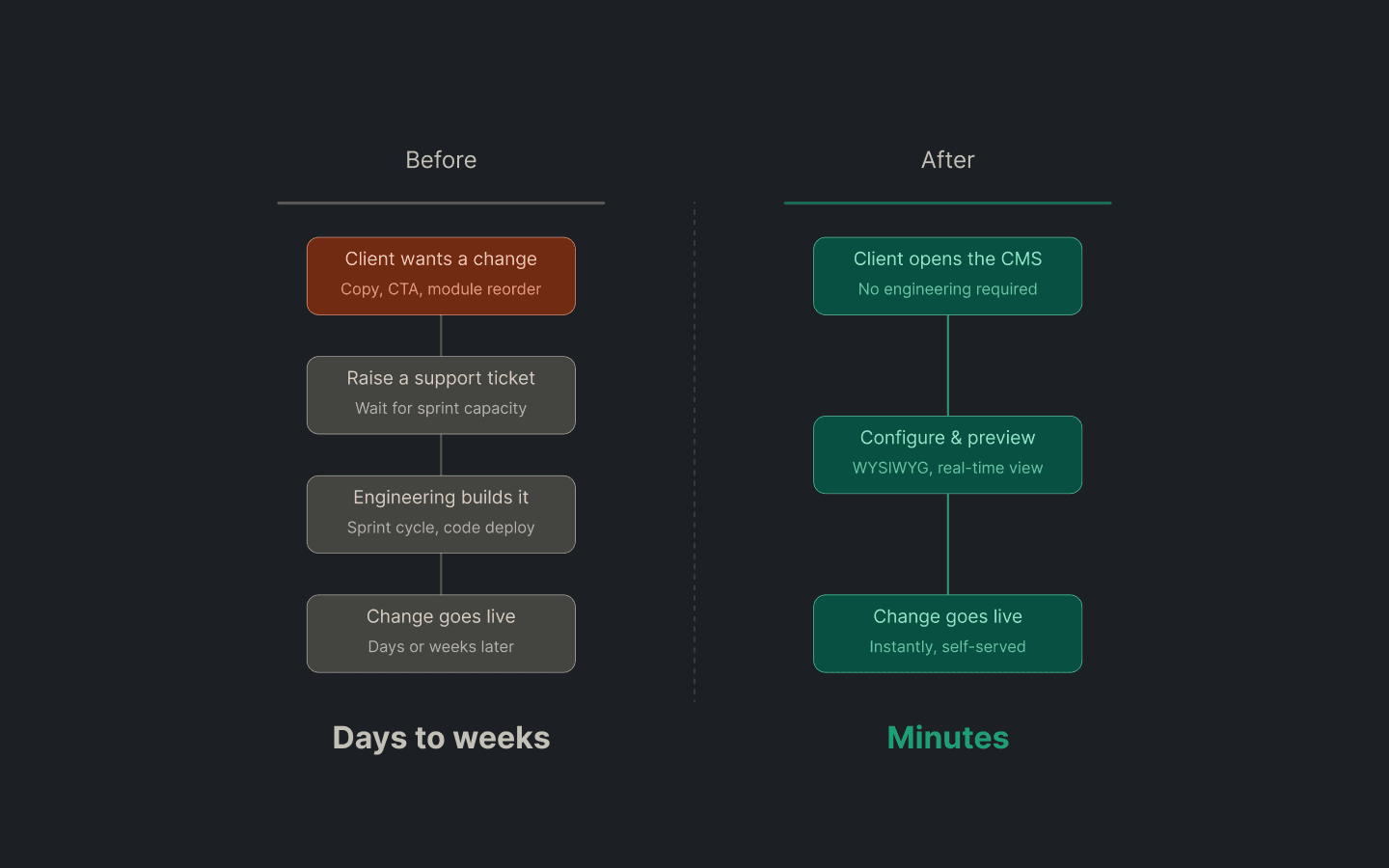
The workflow gap that Ignite Modules was built to close
DISCOVERY - WHAT WE HEARD
The brief said "build a CMS." Clients told us the real cost of not having one.
Key Insight
Two problems, not one: speed (changes took days to weeks through engineering) and confidence(no way to preview the output before publishing). A form-based CMS would solve speed. Only a live preview would solve confidence. This distinction directly drove the WYSIWYG decision.
"Every copy change, every CTA swap, I have to raise a ticket and wait for the next sprint. By the time it's done, the moment has passed."
Event Organizer, Live Venue Client
"I'm working on tight go-live windows. If I can't update content the night before, I'm leaving revenue on the table."
Client, Sports Venue
The worst part isn't the wait, it's that I have no idea what it's going to look like until it's already live for 30 million people.
Enterprise Client, Multi-Event Operator
"I need to be able to reorder modules based on what's happening at the event. Right now that's a two-week process."
Client, Ticketing & Upsell Manager
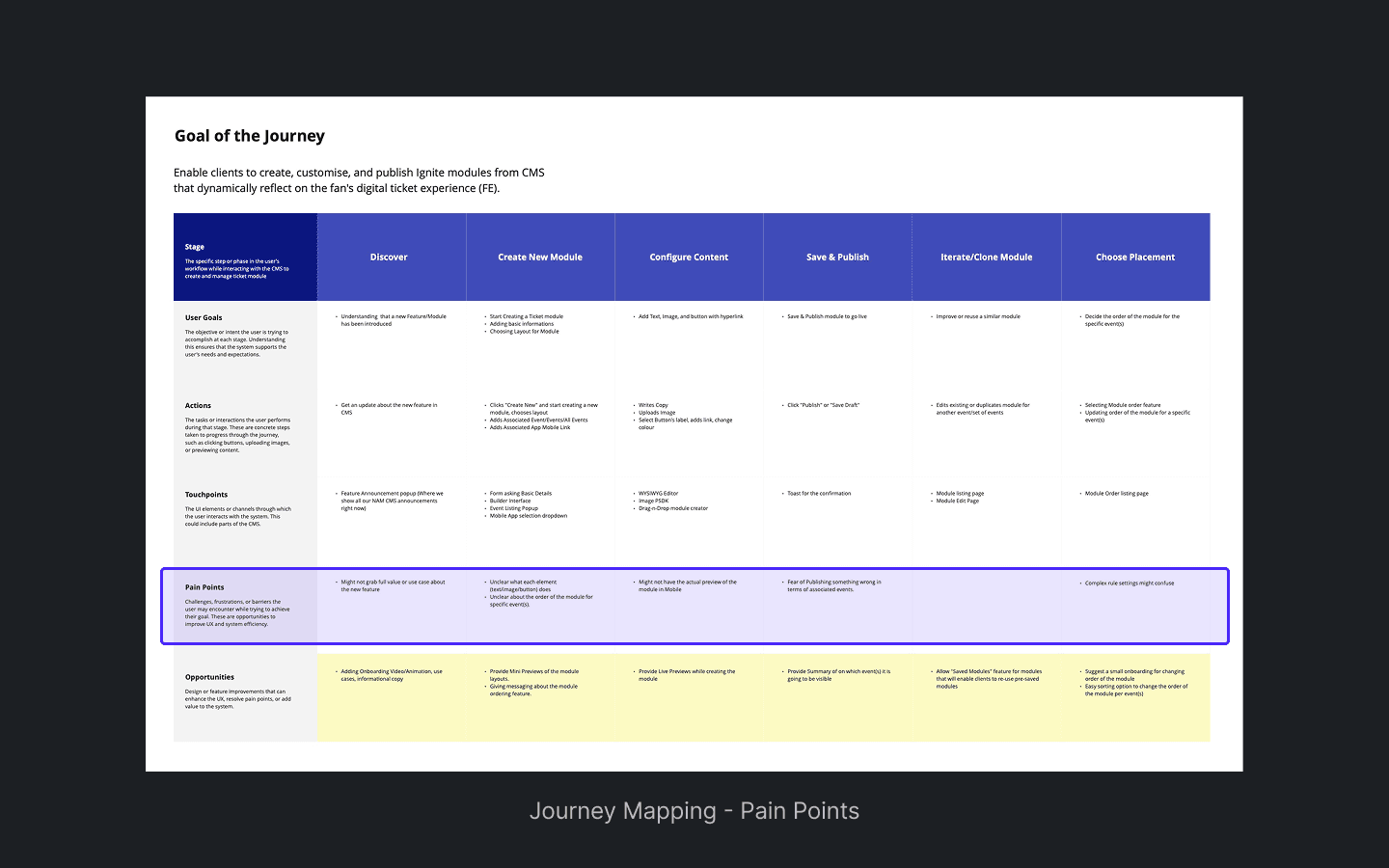
Discovery artifacts - Pain point mapping
THE UX DECISION THAT MATTERED MOST
WYSIWYG over forms.
TESTED - REJECTED
Form-based configuration
Requires clients to imagine the output
Cognitive gap between input fields and final result
No confidence check before publishing
Higher abandonment, clients unsure if it looks right
CHOSEN
WYSIWYG live preview
Clients see the fan-facing output as they configure
Zero gap between input and result
First interaction doubles as onboarding, no tutorial needed
Modular guardrails keep brand consistent across clients
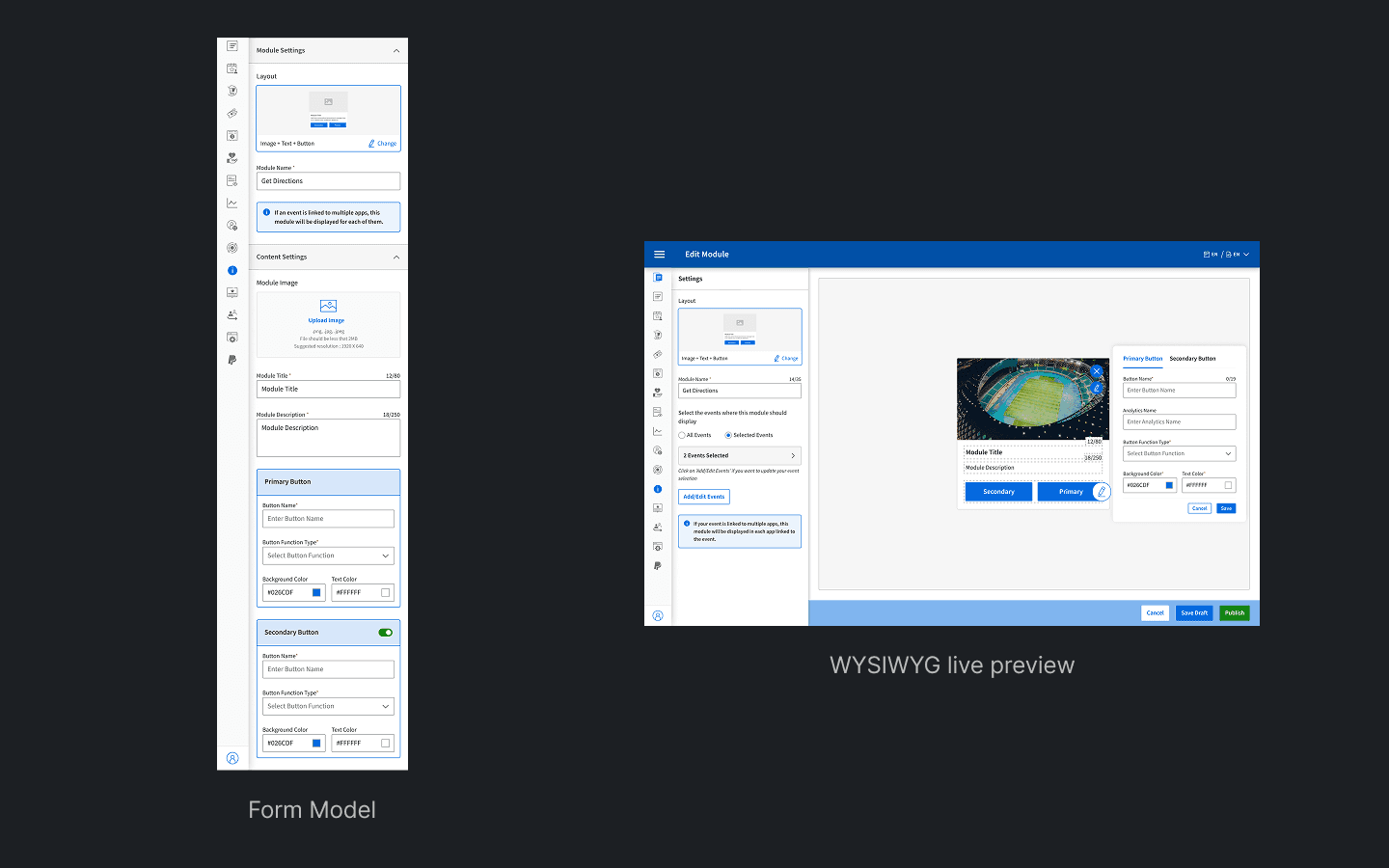
Left: Form model (requires imagination). Right: WYSIWYG live preview (shows the output in real time)
EARLY EXPLORATIONS
Three directions we considered - and why we moved past each one.
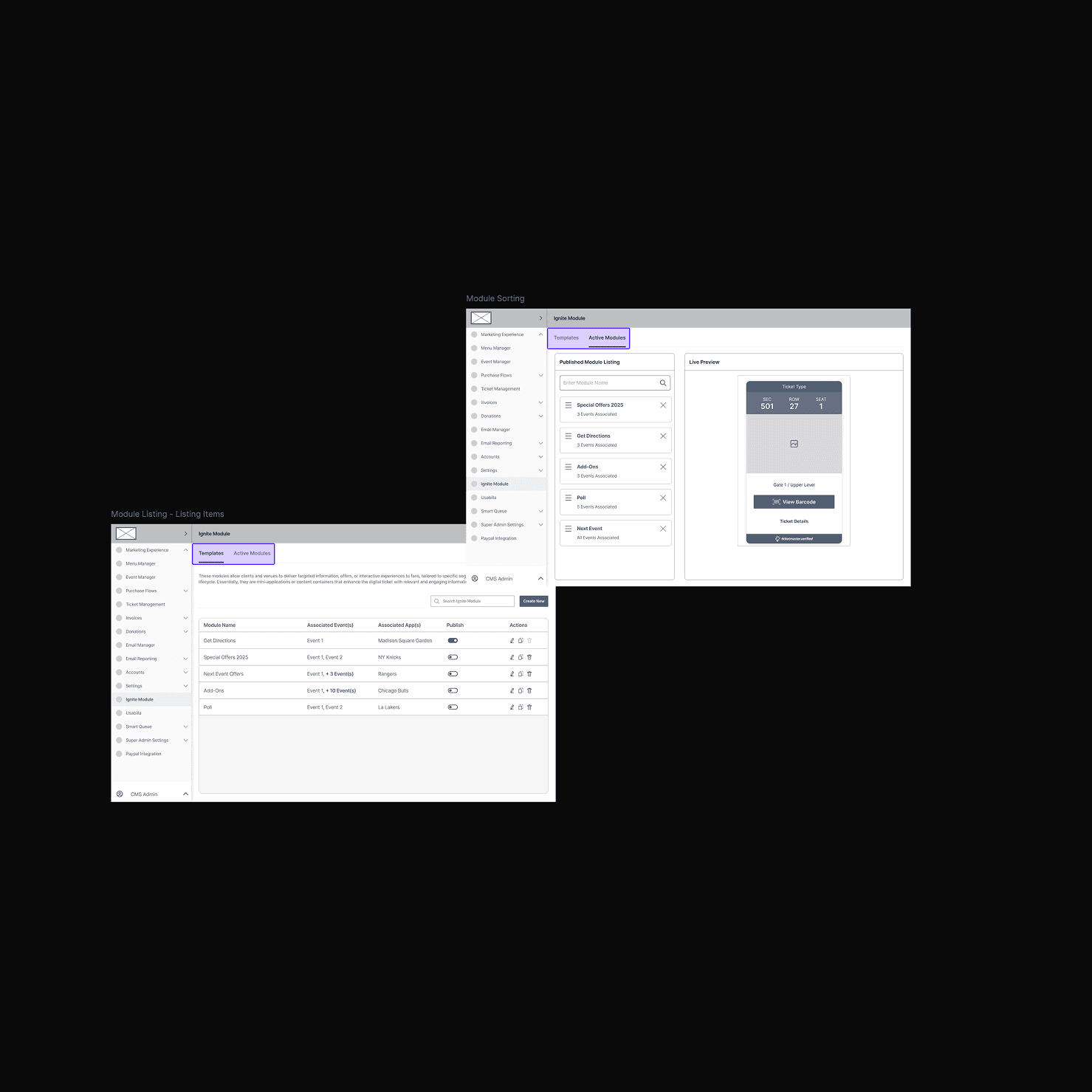
Direction 01 - Dropped
Tabbed from panel
Clients had to navigate across tabs to configure a single module. Context switching increased errors and slowed down the configuration flow significantly.
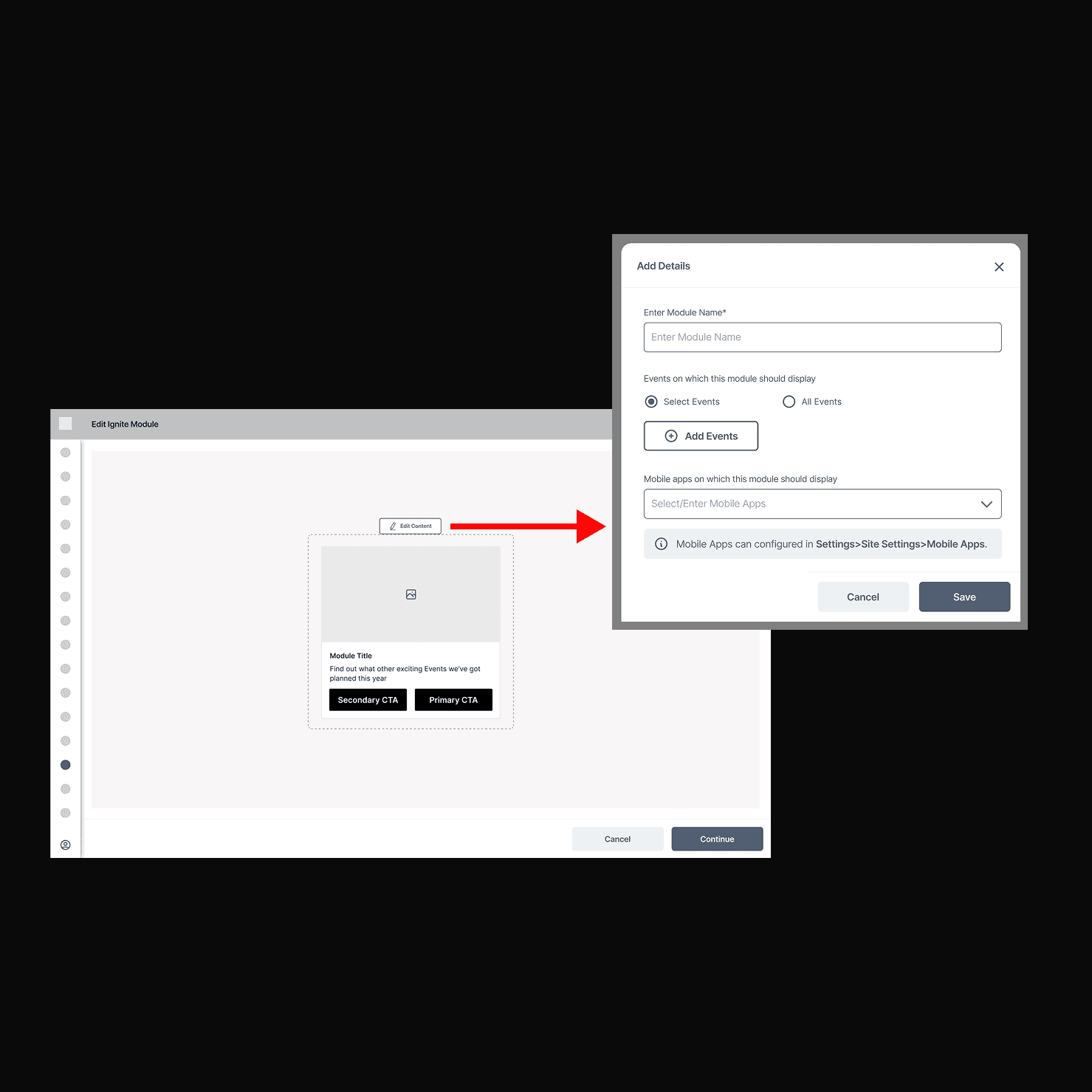
DIRECTION 02 - DROPPED
Modal-based editing
Each module opened a full-screen modal. Lost context of the listing view. Clients couldn't see how one module related to others while editing. Felt disconnected.
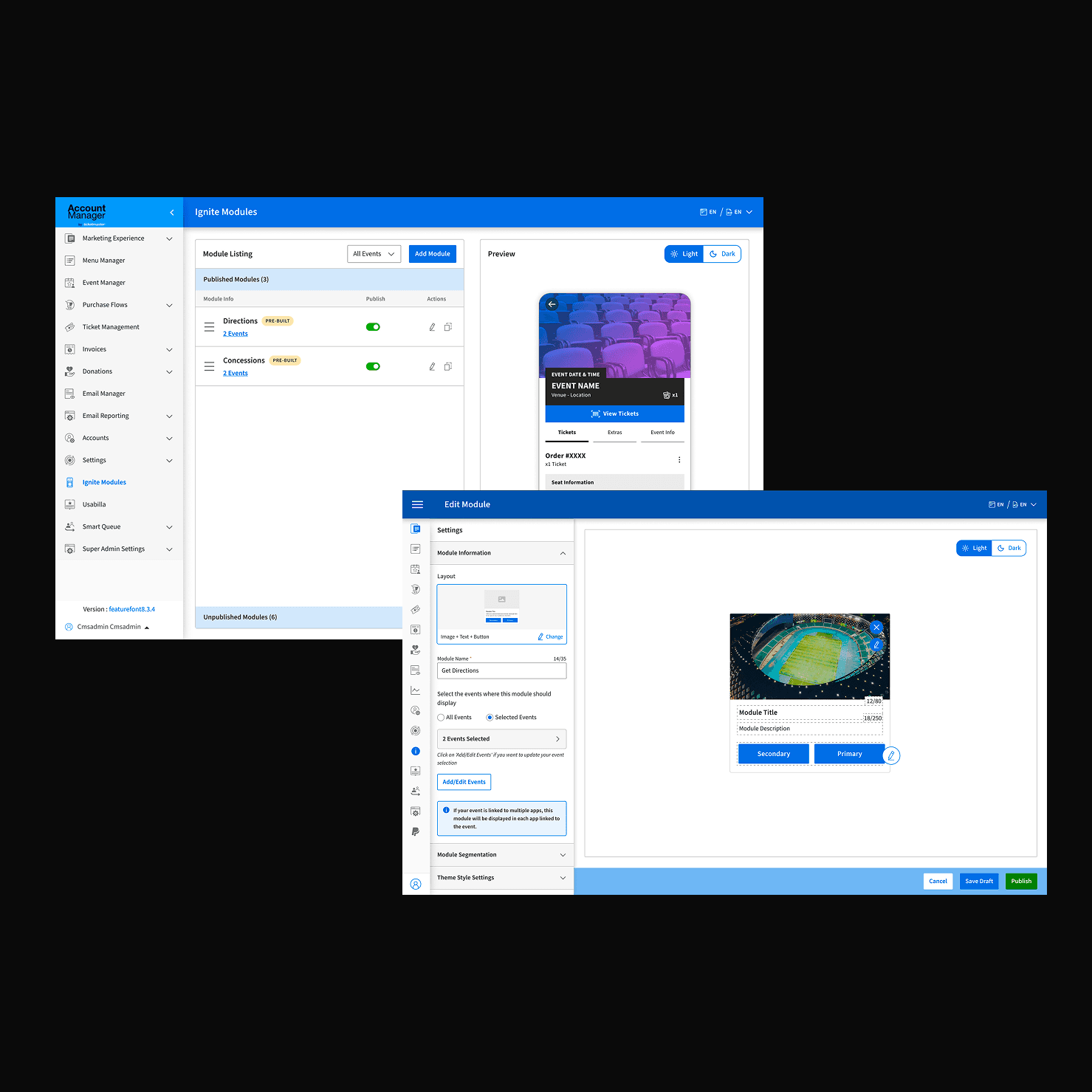
DIRECTION 03 - SHIPPED
Inline panel + live preview
Side-by-side panel kept listing context visible. Live preview closed the confidence gap. Clients could configure and verify in a single view, no tab switching, no modals.
PHASE 2 - EXTENDING THE SYSTEM
Once clients had self-service, they immediately wanted more control.
SEGMENTATION TYPE 01
Entry-based
Show or hide modules based on whether a fan has scanned into the venue. Pre-entry and post-entry experiences can be entirely different.
SEGMENTATION TYPE 02
Location-based
Target modules by Price Code and Seating Section. A premium suite sees a different concessions module than general admission.
SEGMENTATION TYPE 03
Account Groups
Segment by fan account group, season ticket holders, partner members, each seeing content configured specifically for them.
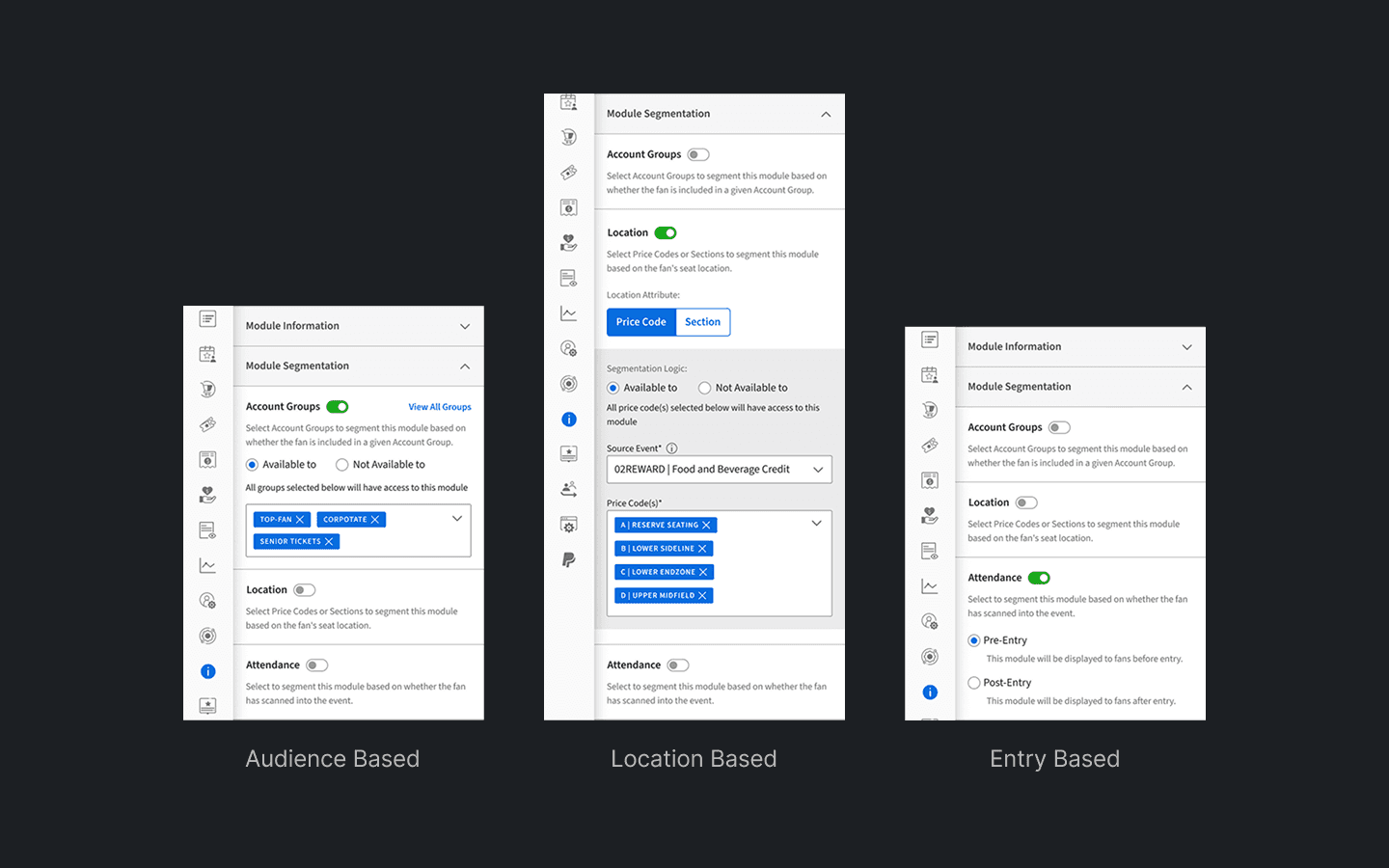
Phase 2 segmentation panel: Location Based, Audience Based, Entry Based. all surfaced in the same progressive UI
THE ARCHITECTURE DECISION
Phase 2 built on Phase 1. Nothing rebuilt.
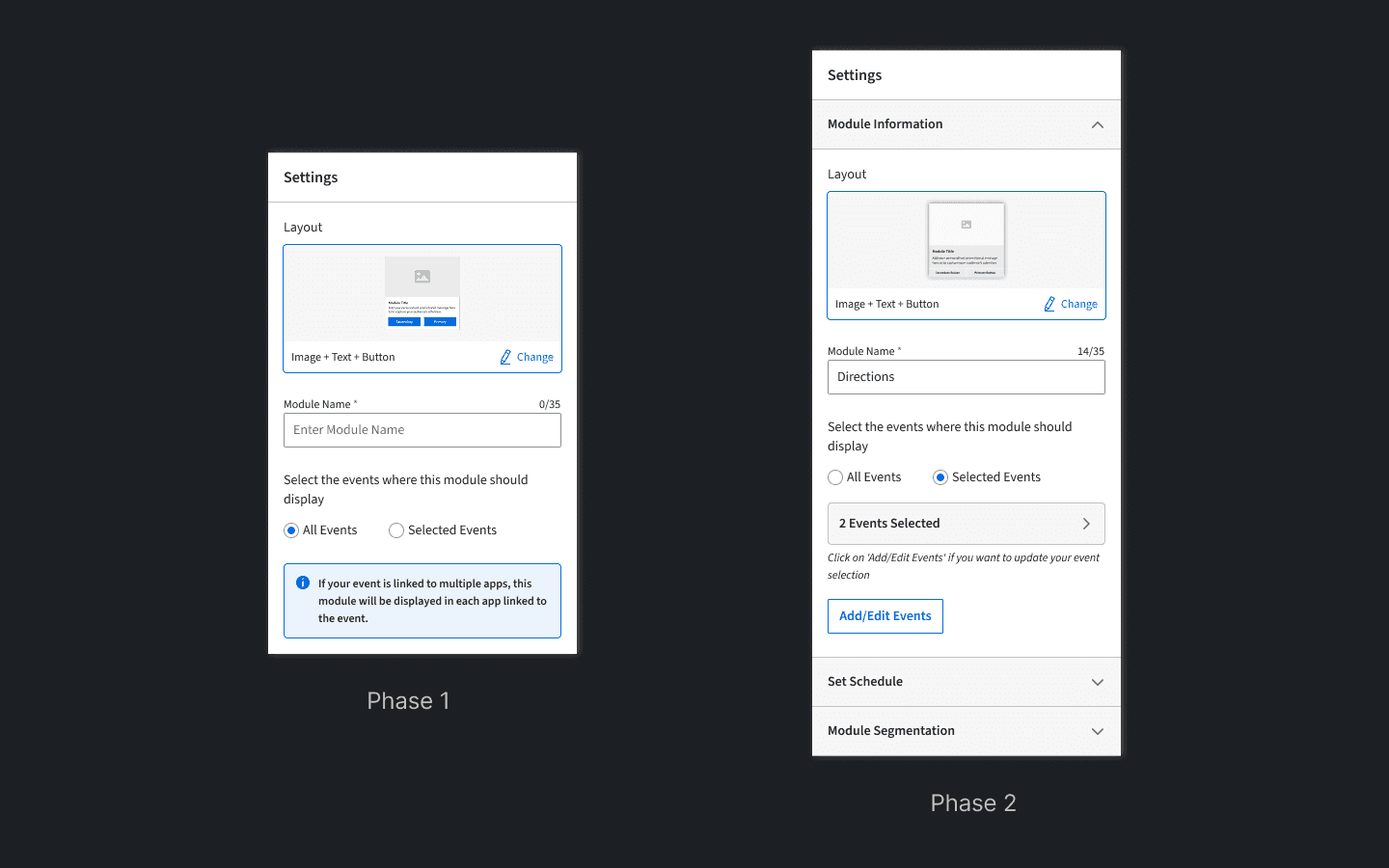
Left: Phase 1 (Basic Feature), Right: Phase 2 (Additional Features)
THE WORDS IN THE INTERFACE
Every label, confirmation, and empty state was a design decision.
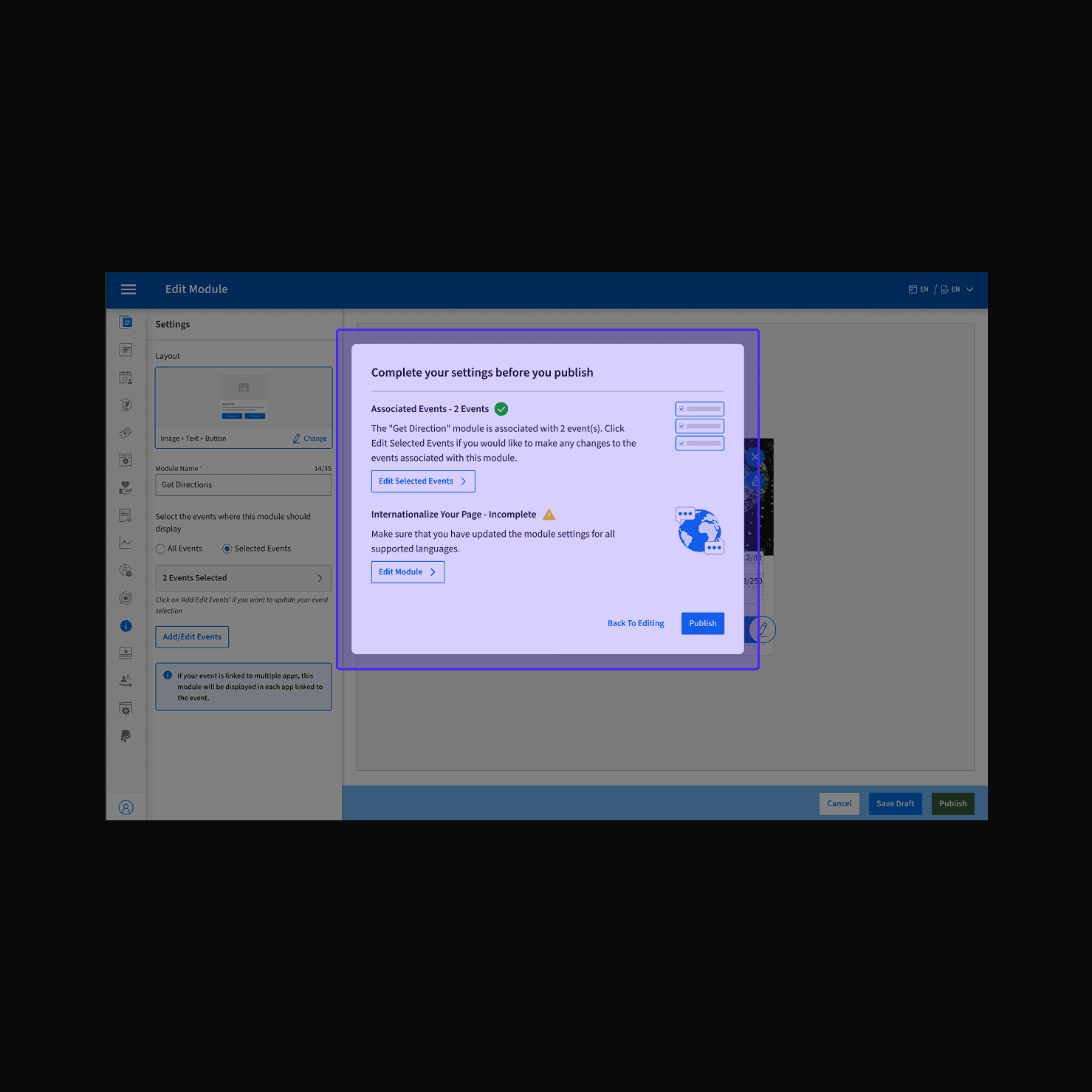
PUBLISH FLOW - REVIEW MODAL
Review before publishing: 1) Associated events, 2)Internationalised text
Rather than a generic confirm dialog, the modal gives clients two concrete checkpoints, are the right events connected, and is the copy ready for each market? This converts a moment of uncertainty into an actionable checklist, cutting the "I published before I was ready" support ticket category.
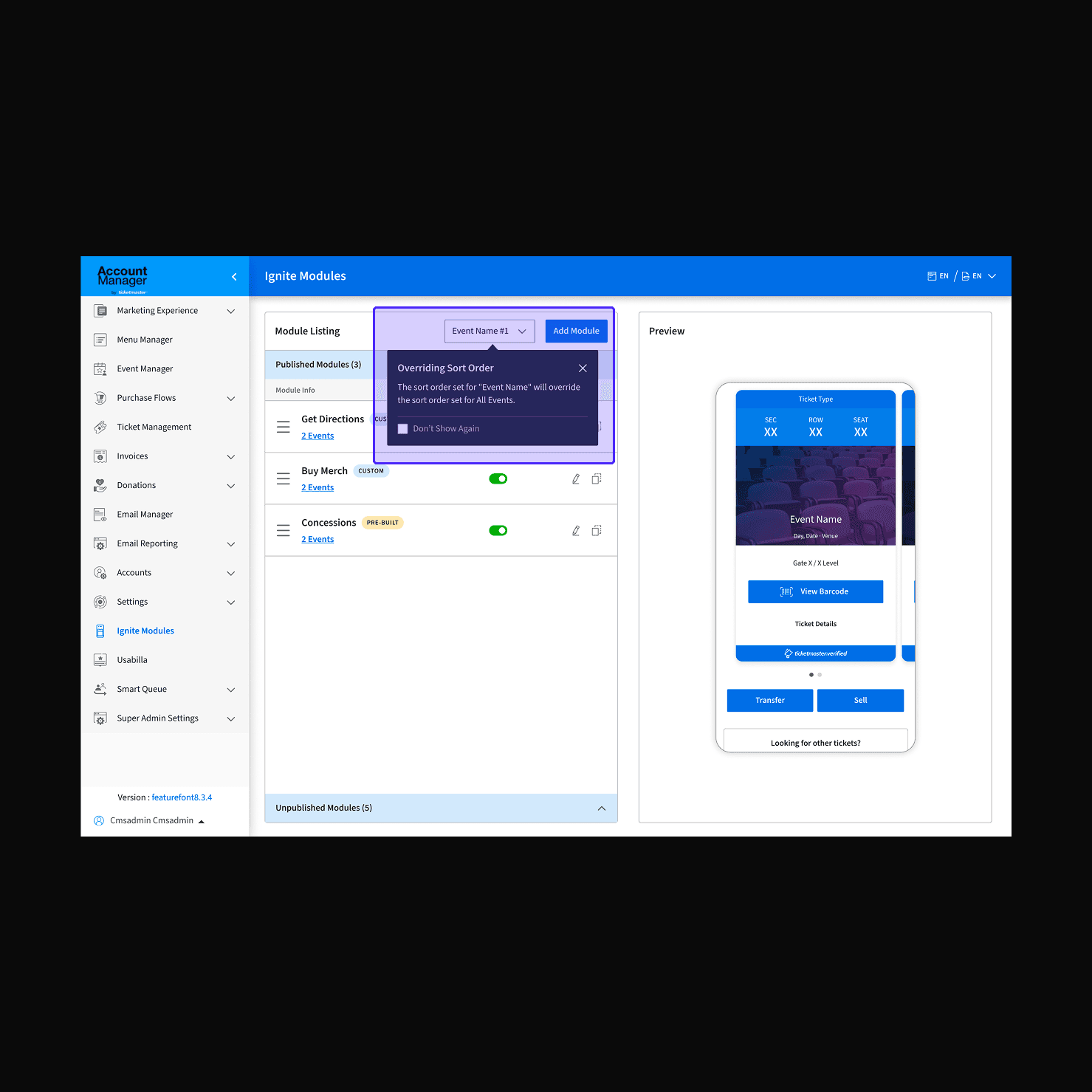
SORT ORDER - SINGLE EVENT OVERRIDE TOOLTIP
This sort order will override the sort order set for All Events.
Switching from All Events to a single-event sort is consequential, and invisible without this tooltip. Clients don't know that a per-event sort takes precedence over the global order. The message surfaces that implication at the exact moment of the decision, before the action is taken.
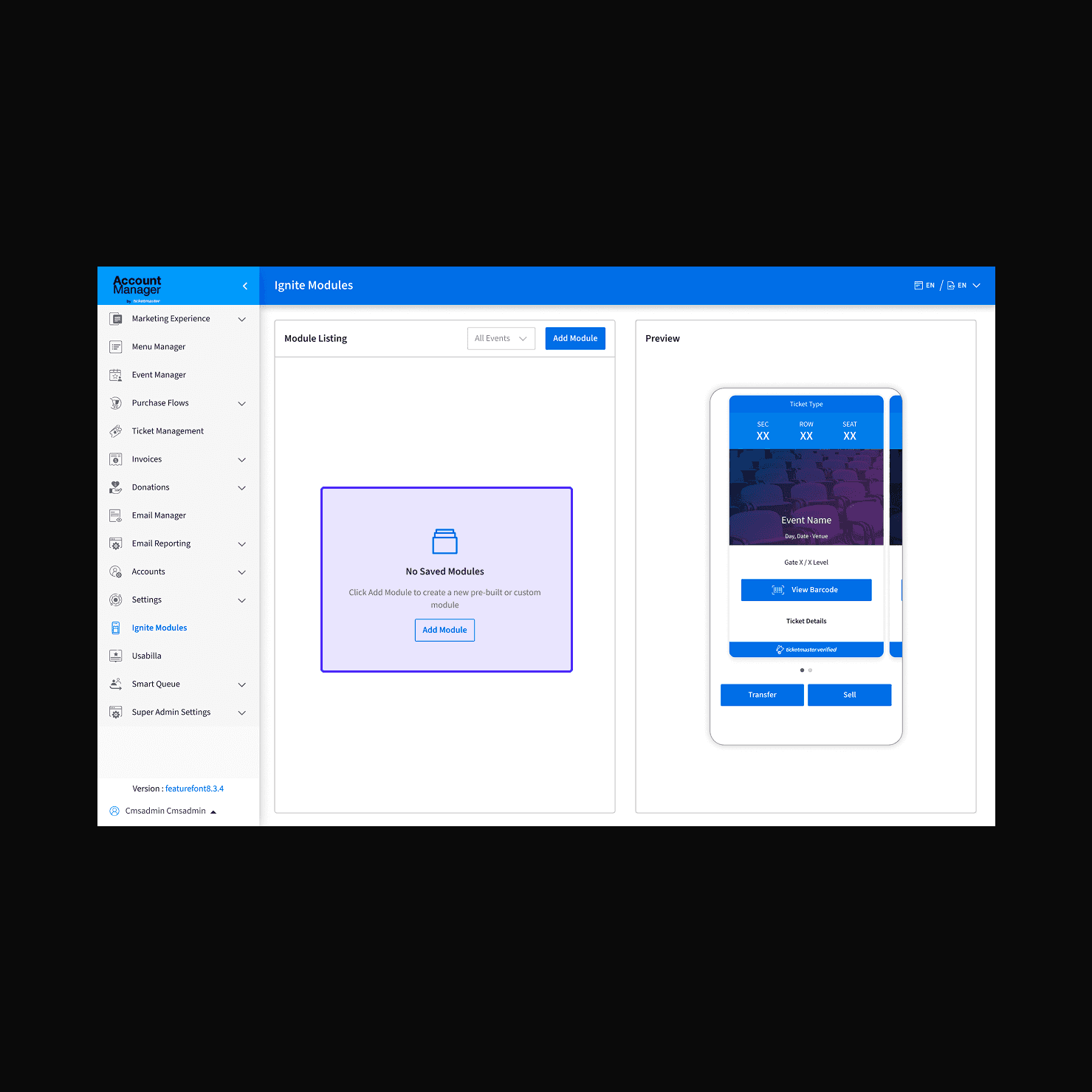
EMPTY STATE - FIRST-TIME USER
Add your first module
The empty state pairs the message with a live ticket preview on the right, no modules below it yet. Clients don't see a blank screen; they see what they're building toward. The CTA echoes the primary action button so the next step is never ambiguous.
The Result
83 clients. 255 modules. Zero tickets.
Clients onboarded to self-service, without a single onboarding session
Modules configured independently by clients post-launch
Support tickets raised after launch, the benchmark for self-service done right
Days from design brief to shipped designs, across a B2B platform serving 30M+ users
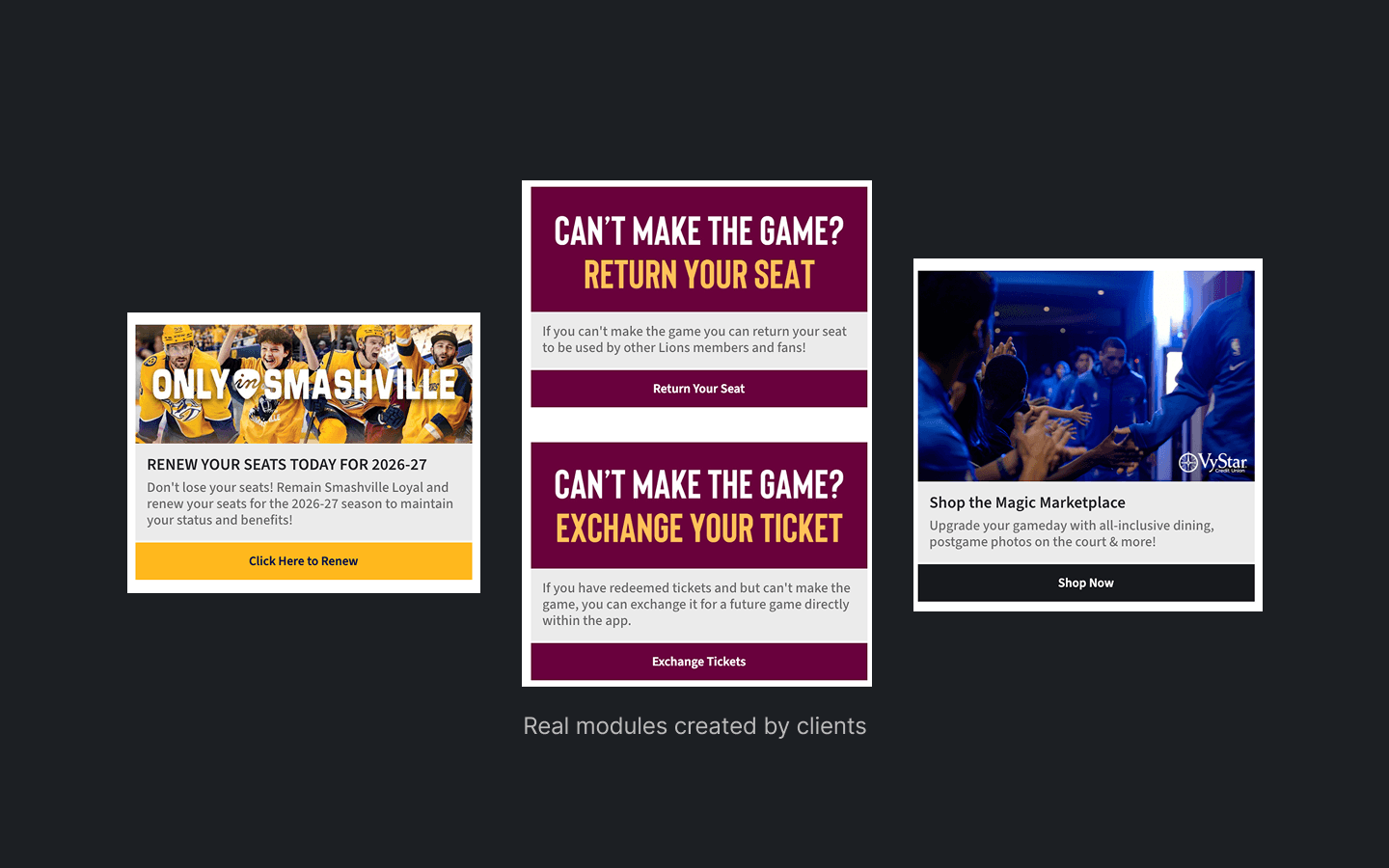
Real modules published by clients in production, no engineering involvement post-handoff
THE COMPONENT SYSTEM
The system behind the modules.
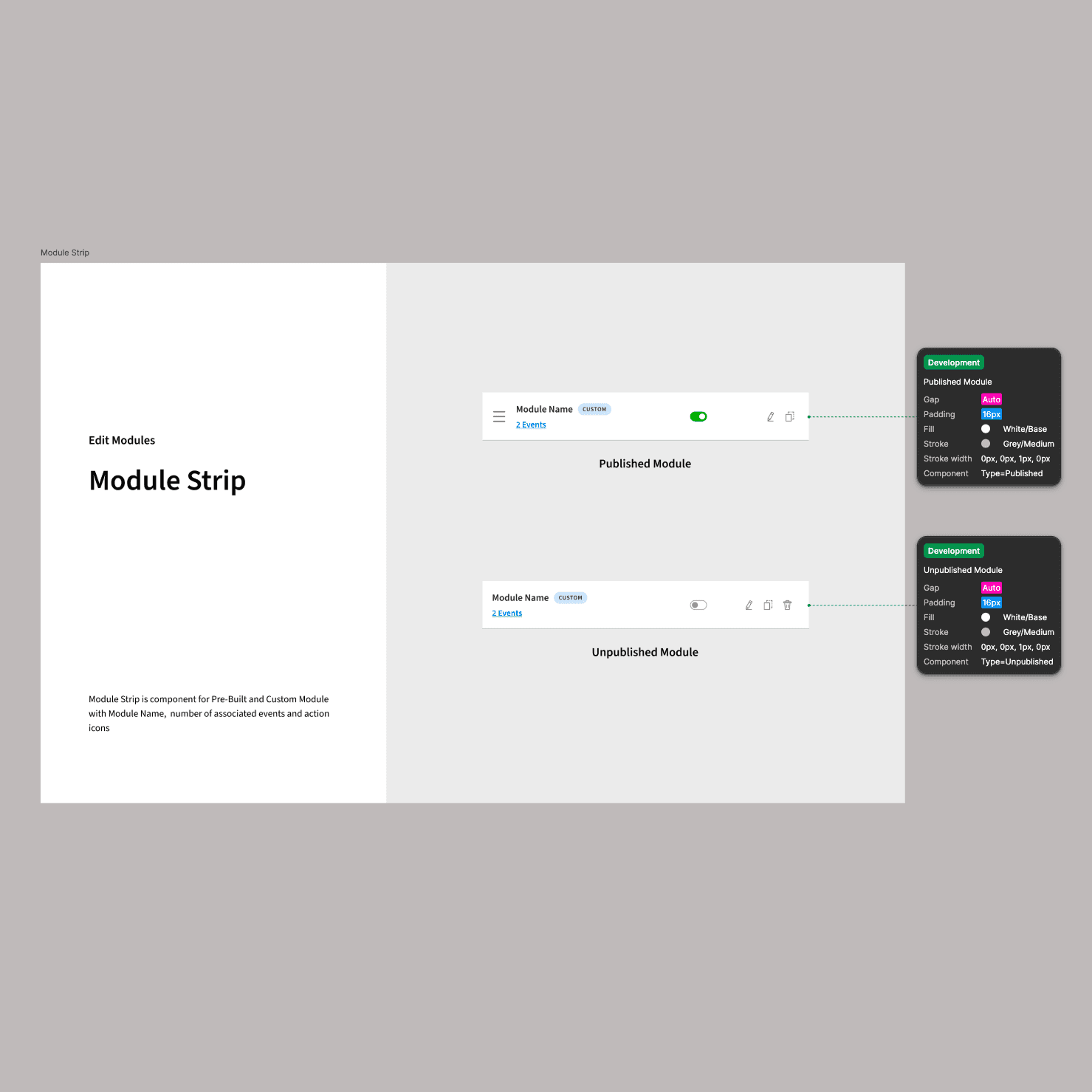
Module Strip
Published & Unpublished states
The component spec used for dev handoff. Two variants annotated with gap, padding, fill, stroke, and component type, engineers could build both states immediately without follow-up questions.
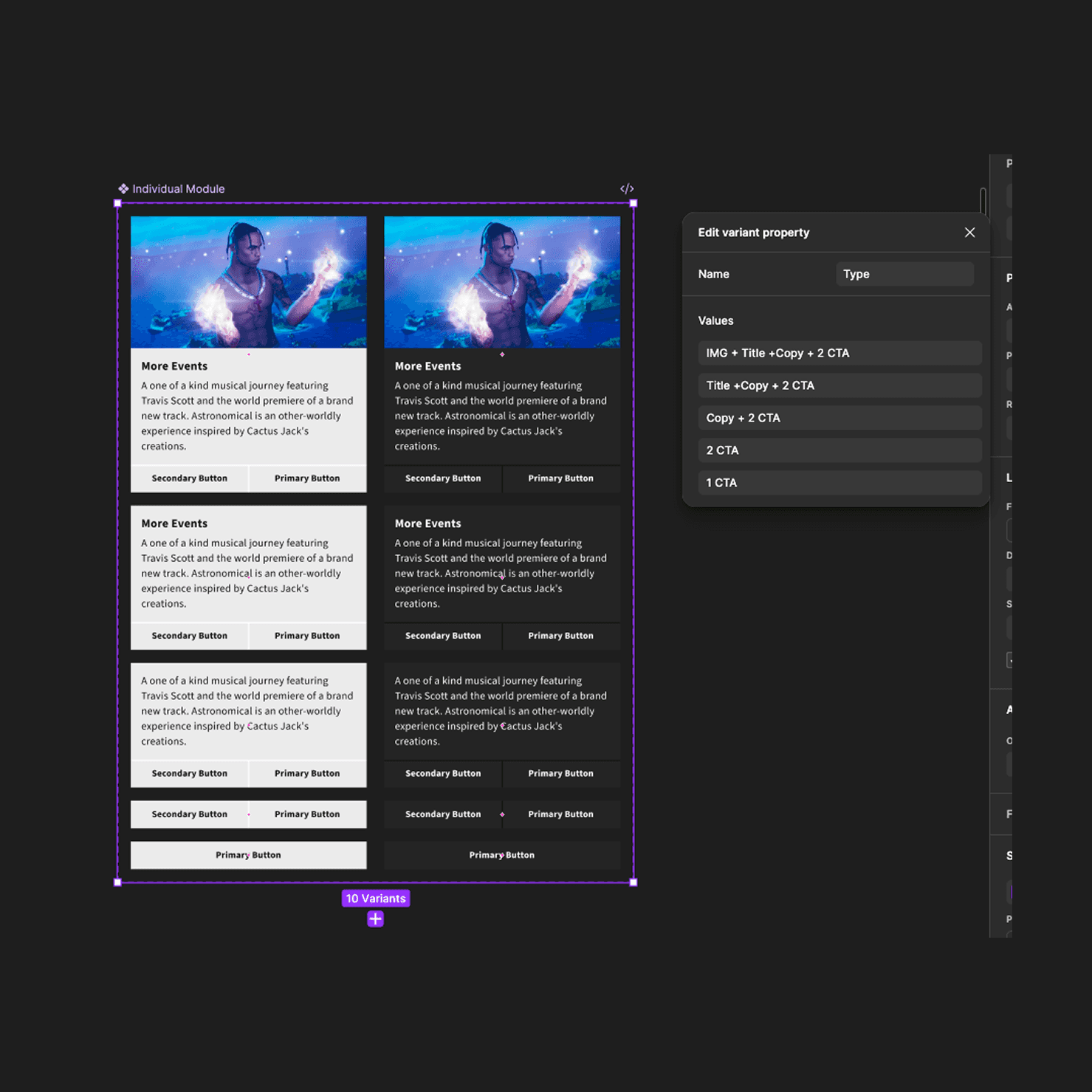
Individual Module
10 variants, 1 Type property
Five content layout types (IMG + Title + Copy + 2 CTA down to 1 CTA) documented as Figma variants. Engineers could access any configuration directly from the component panel, no custom build per module type, no back-and-forth.